[1]:
%reload_ext autoreload
%autoreload 2

import numpy as np
import pylab as plt
import seaborn as sns
import excolor
Colorize bw / greyscale image
[2]:
url = "https://github.com/timpyrkov/excolor/blob/master/img/image_bw.png?raw=true"

# Load image from url (image_bw.png from github repository)
img = excolor.load_image(url)

# Show source grayscale image
plt.figure(figsize=(6,6), facecolor="#00000000")
plt.imshow(img)
plt.axis("off")
plt.show()

# Colorize image
green, blue = "#CCFF66", "#2980BA"
img = excolor.colorize_image(url, green, blue)

# Show colorized image
plt.figure(figsize=(6,6), facecolor="#00000000")
plt.imshow(img)
plt.axis("off")
plt.show()


Convert to greyscale, keep channels
[3]:
url = "https://github.com/timpyrkov/excolor/blob/master/img/image_color.png?raw=true"

# Load image from url (image_color.png from github repository)
img = excolor.load_image(url)

# Show source image
plt.figure(figsize=(6,6), facecolor="#00000000")
plt.imshow(img)
plt.axis("off")
plt.show()

# Convert to greyscale
greyscaled = excolor.greyscale_image(url)

# Show greyscale image
plt.figure(figsize=(6,6), facecolor="#00000000")
plt.imshow(greyscaled)
plt.axis("off")
plt.show()

print("Source image array shape:", np.asarray(img).shape)
print("Greyscaled image array shape:", np.asarray(greyscaled).shape)


Source image array shape: (240, 320, 3)
Greyscaled image array shape: (240, 320, 3)
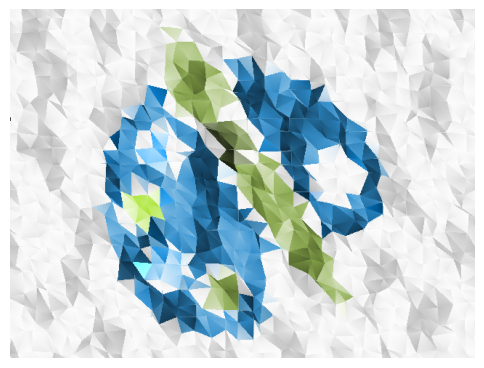
Convert image to low-polygonal
[4]:
url = "https://github.com/timpyrkov/excolor/blob/master/img/image_color.png?raw=true"

# Load image from url (image_color.png from github repository)
img = excolor.load_image(url)

# Show source image
plt.figure(figsize=(6,6), facecolor="#00000000")
plt.imshow(img)
plt.axis("off")
plt.show()

# Convert to low-polygonal
img = excolor.triangle_wallpaper(img=img, density=30, distortion=0.4, size=(640,480))

# Sjow low-polygonal image
plt.figure(figsize=(6,6), facecolor="#00000000")
plt.imshow(img)
plt.axis("off")
plt.show()

[ ]: